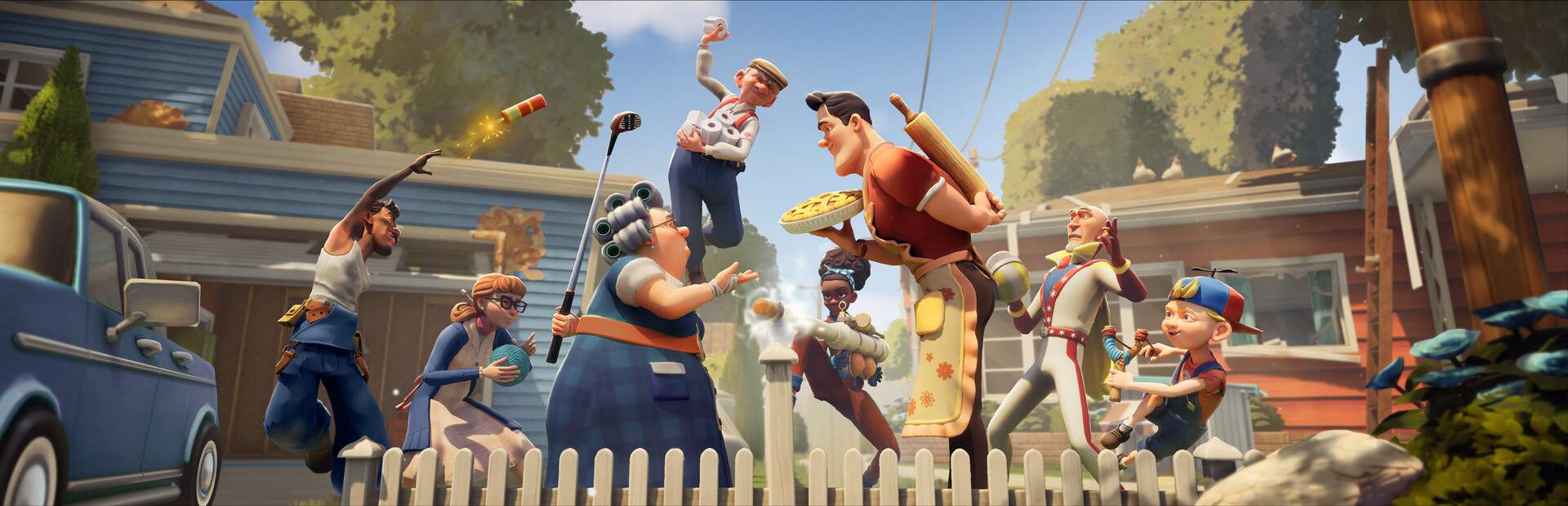
- Neighbors Suburban Warfare on Xbox Series X runs natively with cross-platform 5v5 play against PC, PlayStation, and Switch
- Released April 2025 by tinyBuild and Eerie Guest Studios, available in Standard and Deluxe editions
- Xbox Game Pass Ultimate members should check the store page for current availability before buying
- Controller layout differs from keyboard aiming — remap item quick-slots early for faster trap placement
- Performance mode targets a stable frame rate, which matters most on fast-paced loot runs
Playing Neighbors Suburban Warfare on Xbox Series X
Neighbors: Suburban Warfare is a multiplayer social stealth game from tinyBuild and Eerie Guest Studios, the creators of the Hello Neighbor franchise. Two teams of neighbors clash in mirrored suburban houses — one side sneaking in to steal prized possessions, the other fortifying homes with traps and gadgets. The Xbox Series X version launched alongside PC and other platforms in April 2025 and supports cross-platform play, so console players join the same matchmaking pool as Steam, PlayStation, and Nintendo Switch users.
You can find the game on the Xbox Store, with a Standard Edition and a Deluxe Edition that bundles bonus cosmetics and items. For reference, the PC version is listed on Steam, and official news flows through tinyBuild's site and the community Discord.
| Feature | Xbox Series X Details |
|---|---|
| Developer | Eerie Guest Studios / tinyBuild |
| Release Date | April 21, 2025 |
| Editions | Standard, Deluxe (bonus cosmetics and items) |
| Cross-Play | Yes — PC, Xbox, PlayStation, Switch |
| Match Format | 5v5 team-based social stealth |
If you plan to play long-term, the Deluxe Edition's extra cosmetics and starter items offer convenience, but the Standard Edition includes all maps and core characters — nothing gameplay-critical is locked behind the pricier tier.
Console Setup: Step-by-Step
Getting into your first match on Xbox Series X takes just a few minutes. Follow this sequence to avoid the most common first-session mistakes.
Install and Update
Purchase or download the game from the Xbox Store, then let the day-one patch finish before launching — early versions had matchmaking fixes that matter for cross-play stability.
Adjust Cross-Play Settings
Cross-platform play is on by default. If you prefer console-only lobbies, toggle it in the game's online settings, though queue times may be longer.
Remap Your Controller
Open the controls menu and bind your most-used gadgets to easy-reach buttons. Quick trap placement wins defensive rounds on a pad.
Complete the Tutorial
The tutorial unlocks the Angry Neighbor character and teaches the steal-and-defend loop — skipping it puts you behind on both mechanics and roster.
Learn One Map First
Start with Classic Suburb. Memorize the backyard fence gap, garage window, and second-floor escape routes before branching into Raven Brooks or Construction Zone.
Throwing items like firecrackers with a thumbstick is less precise than mouse aiming. Practice the arc in a private match — a badly thrown distraction can reveal your actual entry route to the whole enemy team.
Xbox Series X vs Other Platforms
How does the Xbox Series X build stack up against the alternatives? Here is a platform-by-platform breakdown to help you decide where to play.
| Platform | Strengths | Trade-Offs |
|---|---|---|
| Xbox Series X | Fast loads, stable frame rate, strong cross-play population | Thumbstick item-throwing precision |
| Xbox Series S | Same content, lower price point | Reduced resolution |
| PC (Steam) | Mouse precision, higher frame ceilings | Higher hardware cost (GTX 960 minimum, GTX 1660 recommended) |
| PS5 / PS4 | Comparable console experience | Separate ecosystem friends list |
| Nintendo Switch | Full portability | Weakest visuals, longer loads |
Best for Precision
- PC with mouse aiming
- Best throwable accuracy
- Ideal for Trickster decoy plays
Best for Value
- Xbox Series S
- Full cross-play access
- All content included
Best Overall Console
- Xbox Series X
- Fast loads aid repeat raids
- Stable performance in chaotic 5v5 fights
Confirm current cross-progression support on the official channels before switching platforms — cosmetic and progression carrying policies have evolved since launch. Check tinyBuild's game page for the latest details.
Controller Tips and Best Characters for Console
Character choice matters more on console, where fine-aim utilities are harder to use and mobility or zone-control abilities shine. Based on the current tier landscape, these picks suit pad players best.
| Character | Role | Why It Works on Xbox |
|---|---|---|
| Scout | Infiltrator | Silent Step needs no aiming — pure movement value |
| Engineer | Defender | Trap Mastery places upgrades automatically |
| Brawler | Bruiser | Charged melee is forgiving with aim assist |
| Trickster | Disruptor | Decoy Doll does the aiming for you |
| Medic | Support | Ranged revive requires minimal precision |
Favor placement-based and melee characters over throw-reliant ones in your first weeks. Bear Traps, Glue Traps, and Brawler charges all perform consistently with a controller, while long-range firecracker plays reward PC-level precision.
Item priorities follow the same logic:
- Bear Trap — set-and-forget defense at window landings
- Glue Trap — lay it on escape routes, not entry points
- Camera — covers objective-room blind corners with zero aiming
- Crowbar — melee swings and barricade breaking feel natural on pad
- Smoke Bomb — pop it directly on the objective to hide interactions
First Week Goals on Xbox Series X
Make your opening week count with this focused checklist. Each milestone builds toward consistent match wins.
Xbox First Week Milestones:
- Complete the tutorial and unlock Angry Neighbor
- Reach player level 5 to unlock Granny
- Learn all entry routes on Classic Suburb
- Win a match on both attack and defense
- Set custom controller bindings for quick item use
Cross-play means your PC and PlayStation friends can join your squad. A coordinated team of five with assigned roles — distraction runner, loot carrier, home defender — consistently beats unorganized lobbies.
FAQ
Q: Is Neighbors: Suburban Warfare available on Xbox Series X?
Yes. The game released on Xbox Series X|S, Xbox One, PC, PlayStation, and Nintendo Switch in April 2025, with cross-platform play supported across all platforms.
Q: Does the Xbox version support cross-play with PC?
Yes, Xbox Series X players share matchmaking with Steam, PlayStation, and Switch users. You can also disable cross-play in the online settings if you prefer console-only lobbies.
Q: Which characters are best for controller players?
Placement and melee characters like Scout, Engineer, Brawler, and Trickster work best on a pad because their abilities require little or no precision aiming compared to throw-based utilities.
Q: Is there a Deluxe Edition on Xbox, and is it worth it?
A Deluxe Edition with bonus cosmetics and items is available. It offers convenience and customization, but the Standard Edition includes all maps and core characters, so it is not required for competitive play.