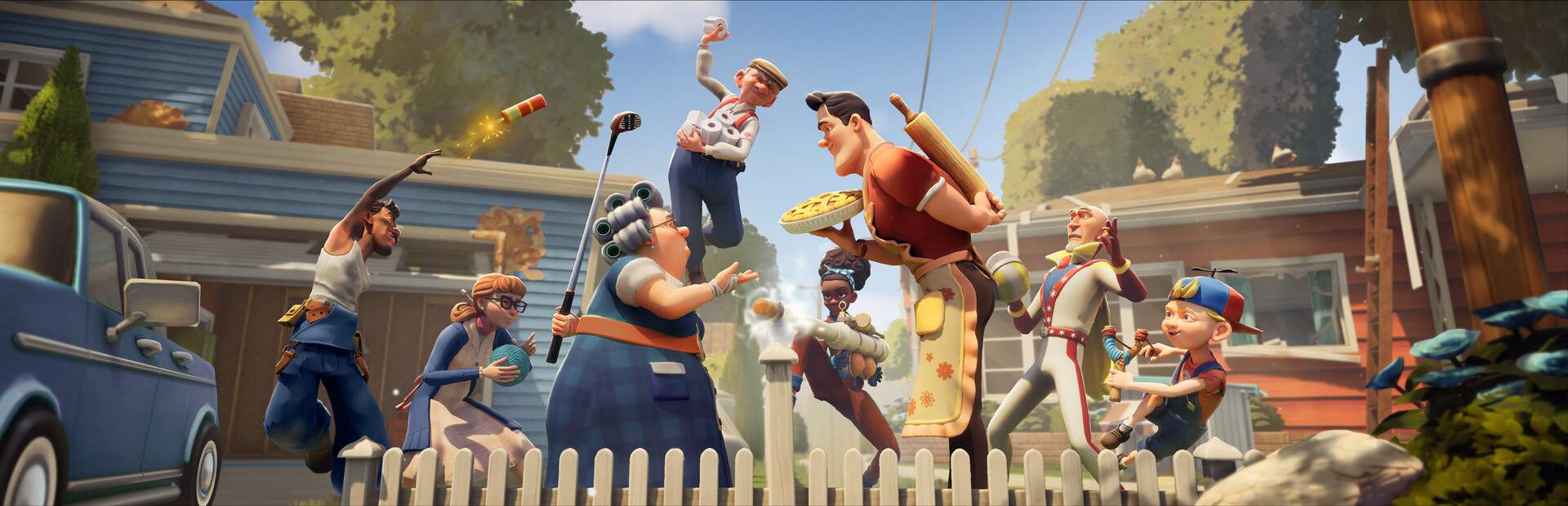
- Neighbors Suburban Warfare Xbox One support: The game targets PC and current-gen consoles, with no native Xbox One edition.
- Best alternative: Play on Xbox Series X|S, PC (Steam/Epic), or via cloud streaming on older hardware.
- Controller players: Full gamepad support on PC, with a quick Steam Input setup covered below.
- Cross-play: Team up with friends across supported platforms.
- Key takeaway: Xbox One owners still have several reliable ways to join the neighborhood war.
Xbox One Availability: What to Know
Neighbors Suburban Warfare is a team-based multiplayer game of sneaky suburban sabotage, and many console players ask whether it runs on Xbox One. The short answer: the game was built for PC and current-generation consoles, so there is no native Xbox One version. If you see a listing claiming an Xbox One release, treat it with caution and verify against the official store page.
Video Highlights:
- How to enable all controller types in Steam settings
- Adding a non-Steam game and verifying controller detection
- Enabling Steam Input and applying a gamepad layout
- Backup software options if detection fails
Avoid third-party sites offering "Xbox One downloads" of the game. Only purchase through the official Xbox Store, Steam, or the Epic Games Store to keep your account safe.
| Platform | Native Support | Notes |
|---|---|---|
| PC (Steam) | Yes | Full gamepad support via Steam Input |
| PC (Epic) | Yes | Controller support may need extra setup |
| Xbox Series X/S | Yes | Current-gen console release |
| Xbox One | No native version | Use alternatives below |
| Cloud streaming | Depends on service | Check your region's catalog |
How Xbox One Players Can Still Join the Fight
Even without a native Xbox One build, you have several practical paths into the game. Pick the option that matches the hardware you already own.
Xbox Series X/S
- Best console experience
- Fast loads, full features
- Native store purchase
PC with Controller
- Full gamepad support
- Steam Input setup takes minutes
- Works on modest hardware
Cloud Streaming
- No downloads needed
- Runs on older devices
- Requires stable internet
If your PC is older, lower the resolution and disable background apps before launching. The game's colorful, stylized visuals scale down gracefully compared to photorealistic titles.
Controller Setup on PC: Step-by-Step
The embedded guide above walks through the process, and here is the condensed workflow for getting your Xbox controller recognized on Steam.
Open Steam Settings
Launch Steam, click the Steam menu, and select Settings. Navigate to the Controller section.
Enable All Controller Types
In controller settings, enable all controller configuration support options, then close the settings window.
Add the Game
If the game is not on Steam, use "Add a Game" > "Add a Non-Steam Game", select it, and click "Add Selected Programs".
Verify Detection
Select the game in your library. A controller icon appears when your gamepad is properly connected. If it is missing, the PC is not detecting your controller.
Enable Steam Input and Layout
Click the controller icon, enable Steam Input, choose Gamepad, apply a layout, and you are ready to play.
If Steam still does not detect your controller, third-party controller mapping software can bridge the gap. Always download such tools from their official websites.
| Problem | Likely Cause | Fix |
|---|---|---|
| No controller icon in library | Cable/adapter not detected | Replug, try another USB port |
| Buttons mapped wrong | No layout applied | Apply a Gamepad layout in Steam Input |
| Controller drops out mid-match | Power-saving USB settings | Disable USB power management |
| Non-Steam version ignores gamepad | No Steam Input wrapper | Add game as non-Steam title first |
Cross-Play and Account Considerations
Before committing to a platform, consider who you will play with. Cross-play support determines whether your PC squad and console friends can share a lobby.
Cross-play availability can change with game updates. Confirm current support in the official patch notes or the store page before organizing cross-platform teams.
| Consideration | Why It Matters |
|---|---|
| Cross-play status | Determines which friends you can queue with |
| Controller vs keyboard lobbies | Some modes group players by input type |
| Account linking | Needed for unified progression across platforms |
| Regional servers | Affects ping and matchmaking speed |
Before You Play:
- Verify the game on the official Xbox or Steam store page
- Confirm your controller is detected before matchmaking
- Check current cross-play support in patch notes
- Test your connection if using cloud streaming
- Add friends across platforms before your first session
FAQ
Q: Is Neighbors Suburban Warfare available on Xbox One?
No. The game was developed for PC and current-generation consoles. There is no native Xbox One version, and any site claiming otherwise should be avoided. Xbox One owners can instead use cloud streaming or play on a supported platform.
Q: Can I play Neighbors Suburban Warfare with an Xbox controller on PC?
Yes. The game supports gamepads on PC. Enable all controller types in Steam settings, add the game to your library (as a non-Steam game if needed), and enable Steam Input with a Gamepad layout applied.
Q: My controller is not detected in Steam. What should I do?
Check that the controller icon appears next to the game in your library. If it does not, replug the controller, try a different USB port, and confirm all controller types are enabled in Steam's controller settings. Third-party mapping software is a last-resort fallback.
Q: Does the game support cross-play between Xbox and PC?
Cross-play support depends on the current game version. Always verify the latest status through official patch notes or the store listing before planning cross-platform sessions.
Final Verdict
Xbox One players are not locked out of Neighbors Suburban Warfare, but they will not find it on the older console's store. The cleanest path is Xbox Series X/S for a native experience, while a PC with Steam Input offers a fast controller setup that takes minutes. Cloud streaming remains a flexible fallback for households without new hardware.
Platform availability can change as developers expand support. Follow the official channels and store pages for the latest platform news before making a purchase decision.
| Playstyle | Recommended Platform | Setup Effort |
|---|---|---|
| Console purist | Xbox Series X/S | Minimal |
| PC gamer | Steam | Low |
| Older hardware | Cloud streaming | Low |
| Mixed friend group | Whichever supports cross-play | Moderate |