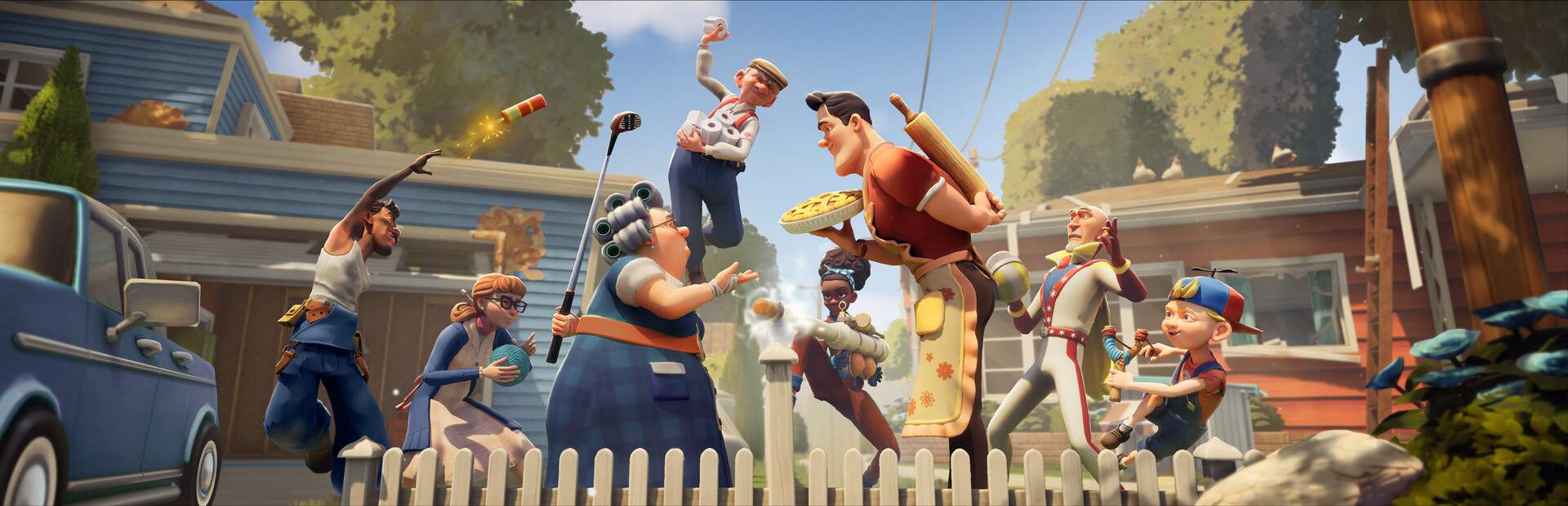
- Neighbors Suburban Warfare on Xbox runs on Xbox Series X|S and Xbox One with full crossplay support.
- Cross-platform play lets console players team up with Steam, PlayStation, and Switch users in 5v5 matches.
- Controller basics: crouch-walking, object throwing, and trap placement map cleanly to a standard Xbox pad.
- Best setup: enable crossplay early, adjust sensitivity, and pin ping to spot enemy traps.
- Performance pick: Xbox Series X delivers the smoothest console frame rates for fast-paced raids.
Is Neighbors Suburban Warfare on Xbox?
Yes — Neighbors: Suburban Warfare, the multiplayer social stealth game from tinyBuild and Eerie Guest Studios, supports Xbox alongside Steam, PlayStation, and Nintendo Switch, with cross-platform play across all versions. Released in April 2025, the game brings its chaotic 5v5 suburban battles between Sneakers (attackers stealing valuables) and Guardians (defenders protecting their homes) to the Xbox ecosystem.
Here is how the console versions compare:
| Feature | Xbox Series X | Xbox Series S | Xbox One |
|---|---|---|---|
| Resolution | Up to 4K | Up to 1440p | Up to 1080p |
| Performance | Smoothest console frame rates | Stable performance | Playable, longer loads |
| Crossplay | Supported | Supported | Supported |
| Editions | Standard and Deluxe | Standard and Deluxe | Standard and Deluxe |
The Deluxe Edition includes bonus cosmetics and items. If you mainly care about gameplay, the Standard Edition covers the full crossplay 5v5 experience — cosmetics provide no competitive advantage.
Team Xbox Series X|S
- Best console performance
- Fast load times
- Full next-gen polish
Team Xbox One
- Lower cost entry
- Full crossplay access
- Slightly longer load times
Team PC (Steam)
- Highest framerate ceiling
- Mouse precision for aiming
- Requires GTX 960 minimum
Xbox Setup: Step-by-Step
Getting into your first match on Xbox takes just a few minutes. Follow this sequence to configure the game correctly from the start.
Purchase and Install
Grab the Standard or Deluxe Edition from the Xbox store and let it install. The game needs roughly 10 GB of storage space, matching the PC requirement.
Enable Crossplay
Cross-platform play is on by default in most cases. Verify it in settings so you can queue with friends on Steam, PlayStation, and Switch — the player pool stays healthy across all regions.
Tune Controller Settings
Adjust look sensitivity to your preference. Practice crouch-walking, sprinting, grabbing, and throwing objects in a low-stakes match — sprinting makes noise that alert defenders can hear.
Learn Your Win Conditions
Attackers win by completing infiltration objectives like finding keys and securing basement access. Defenders win by protecting objectives and running down the timer. Watch the objective HUD at the top of the screen.
Pick Your Role and Character
Communicate your role with teammates at match start, grab nearby items immediately, and learn map shortcuts such as windows, vents, and back doors.
This is a team game. Use Xbox party chat or in-game voice to call out loot values, guard positions, and entry routes — silent teams lose to coordinated ones far more often than they lose to raw skill.
Console-Friendly Character Picks
Some characters reward the precision of a mouse more than others. These picks play to the strengths of a standard Xbox controller and suit players still building map knowledge.
| Character | Role | Skill | Console Fit |
|---|---|---|---|
| Scout | Infiltrator | Silent Step, reveals nearby traps | ★★★★★ Great with controller |
| Engineer | Defender | Trap Mastery, upgraded traps | ★★★★★ Placement is pad-friendly |
| Brawler | Bruiser | Heavy Swing knockdown melee | ★★★★ Easy to execute |
| Trickster | Disruptor | Controllable Decoy Doll | ★★★★ Simple activation |
| Medic | Support | Ranged Field Patch revives | ★★★ Forgiving support role |
Start with Scout for infiltration or Engineer for defense. Both rely on game sense rather than fast, precise inputs, which makes them ideal first picks on Xbox while you learn the maps.
Crossplay and Match Strategy
Because Xbox places you in shared lobbies with PC and console players, expect varied playstyles. These strategies transfer across platforms and win matches at every skill level.
Scout Before You Steal
- Watch the enemy house through windows
- Identify guards and high-value rooms
- Commit to a route after 30 seconds
Split Team Roles
- One distraction runner
- One heavy-loot carrier
- One home defender
Layer Your Defenses
- Cheap deterrents at entries
- Strongest traps near top loot
- Surprise intruders deeper inside
Additional tactics worth drilling:
- Heavy items need a plan: TVs and furniture slow the carrier dramatically. Clear an exit path and never grab heavy loot while enemies respawn nearby.
- Use fences and back routes: most players funnel through front doors — learn fence gaps, windows, and garage side entrances.
- Bait the chasers: when defending, follow a fleeing intruder and they may reveal their team's stash point for the rest of the match.
- Communicate loot value: prioritize high-value steals as the timer winds down instead of wasting runs on trinkets.
Trap placement and melee are just as fast on a pad as on mouse and keyboard. Where PC players gain an edge in aiming throws, Xbox players can compensate with prediction and smart positioning.
Xbox Starter Checklist
Your First Week on Xbox:
- Complete the tutorial to unlock Angry Neighbor
- Enable and verify crossplay with a friend
- Win one match as attacker and one as defender
- Reach player level 5 to unlock Granny
- Learn two entry routes on every core map
Character unlocks are account-based: complete the tutorial for Angry Neighbor, reach level 5 for Granny, and level 10 for Gadget Kid. Progress carries across your matches regardless of platform you log in from within the Xbox ecosystem.
FAQ
Q: Is Neighbors: Suburban Warfare available on Xbox One, or only Series X|S?
The game supports the full Xbox family — Xbox Series X, Series S, and Xbox One — alongside Steam, PlayStation, and Nintendo Switch, with cross-platform play between all versions.
Q: Does the Xbox version support crossplay with PC and PlayStation?
Yes. Cross-platform play is a core feature, so Xbox players queue into shared 5v5 lobbies with Steam, PS5, PS4, and Switch users. Verify the setting in-game if you want to queue with friends on other platforms.
Q: Which characters are best for Xbox beginners?
Scout and Engineer are the strongest starting picks. Scout's Silent Step rewards sneaking over aiming precision, while Engineer's Trap Mastery uses simple placement inputs that feel natural on a controller.
Q: How much storage does Neighbors Suburban Warfare need on Xbox?
Roughly 10 GB, matching the PC storage requirement. A standard console hard drive works, but an SSD reduces load times between matches noticeably.