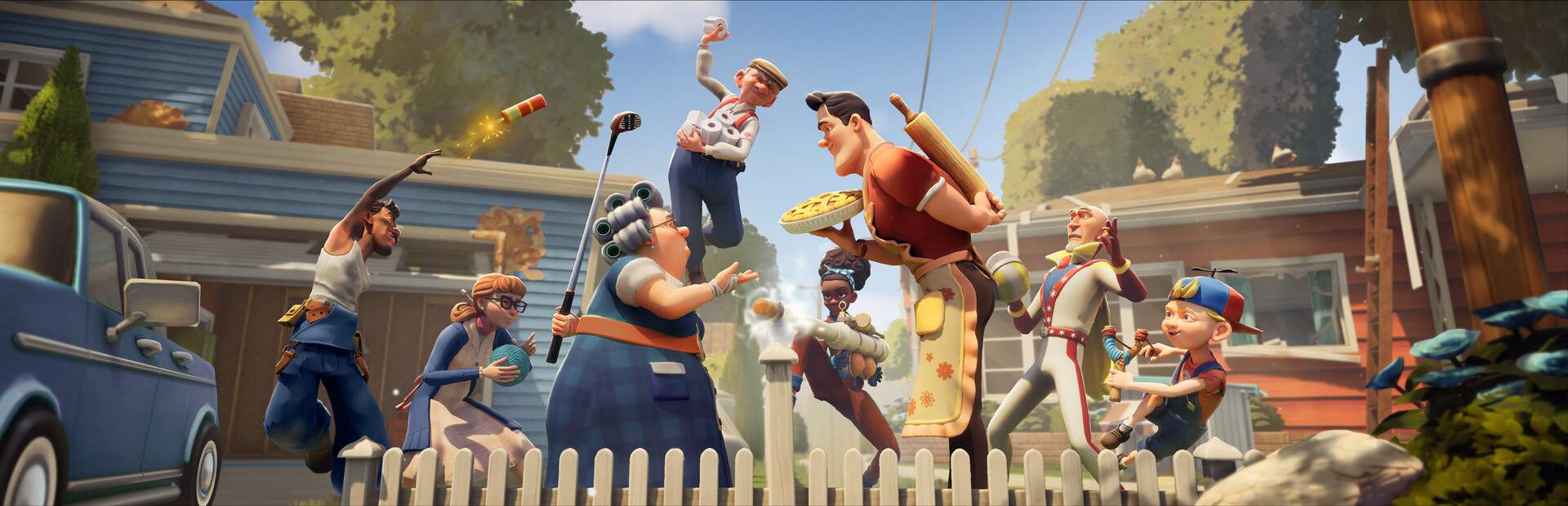
- Split screen co-op lets two players team up on one screen for neighborhood pranks and sabotage
- Local play requires two controllers connected to the same console or PC setup
- Best duo setup: pair a sneaky scout with a heavy-duty saboteur for balanced coverage
- Common fix: restart the session if the screen freezes during splits
- Performance tip: lower resolution settings for smoother frame rates in split mode
Split Screen Basics and Supported Modes
Neighbors: Suburban Warfare is built around chaotic neighbor-versus-neighbor mayhem, and split screen remains one of the best ways to experience it with a friend on the same couch. Whether you are coordinating a prank campaign or defending your own yard from rival neighbors, playing side by side gives you instant communication that online matchmaking simply cannot match.
Video Highlights:
- Fix for the black screen issue when starting a split session
- Step-by-step resolution shown in real time
- Works for the 2026 version of the game
The game supports several local configurations, each with its own strengths:
| Mode | Players | Screen Layout | Best For |
|---|---|---|---|
| Local Co-Op | 2 | Horizontal split | Story and prank missions |
| Versus Match | 2 | Horizontal split | Head-to-head sabotage |
| Online + Guest | 2 | Split at home | Matchmaking with a friend |
| Party Lobby | Up to full squad | Shared screen | Group chaos modes |
Horizontal splitting keeps each player's view wide, which is ideal for tracking neighbor movement across yards. If your version offers a vertical option, reserve it for tall observation challenges like rooftop watch missions.
Step-by-Step Split Screen Setup
Getting a two-player session running takes only a few minutes if you follow the correct order. The most common setup mistakes happen when the second controller is activated after the lobby is already created.
Connect Both Controllers
Plug in or sync both controllers before launching the game. Confirm each one responds on the system menu so the game detects two active inputs at startup.
Launch and Reach the Main Menu
Start Neighbors: Suburban Warfare and wait for the main menu. Do not join mid-intro, as guest slots sometimes fail to register during loading sequences.
Activate Player Two
Press the confirm button on the second controller. A guest profile prompt should appear. Assign the controller to the guest slot and pick a neighbor character.
Choose Your Mode
Select a co-op or versus mode from the local play menu. The screen splits automatically once the match loads.
Adjust Camera and Comfort Settings
Tune the split-screen camera sensitivity for each player separately. Both players can save individual control preferences to their profiles.
If the screen goes black after starting a split session, do not force-close immediately. Wait about thirty seconds first, then restart the session from the pause menu. Persistent black screens are usually resolved by verifying game files or updating your display drivers.
Best Duo Strategies for Split Screen Play
Split screen shines when both players build around each other's strengths. Instead of two players doing the same job, assign roles based on each neighbor's kit.
Scout and Distraction
- Fast movement draws guard attention
- Reveals trap locations early
- Pairs well with slower saboteurs
Heavy Saboteur
- High-impact pranks destroy defenses
- Carries objective progress
- Needs a partner creating openings
Support and Defense
- Utility gadgets protect your own yard
- Sustains long matches
- Excels in versus modes
Role synergy makes a measurable difference in match outcomes:
| Duo Combo | Strength | Weakness | Matchup Rating |
|---|---|---|---|
| Scout + Saboteur | Objective speed | Fragile under pressure | ★★★★★ |
| Saboteur + Support | Balanced pressure | Slower rotations | ★★★★ |
| Scout + Scout | Map control | Low damage output | ★★★ |
| Support + Support | Strong defense | Weak attack push | ★★ |
The biggest split screen advantage is voice proximity. Call out enemy neighbor positions the moment you spot them, since your partner's half of the screen may not show the same threat.
Troubleshooting Common Split Screen Problems
Even with a clean setup, split screen sessions can hit technical snags. Most issues fall into a handful of recognizable categories with straightforward fixes.
| Problem | Likely Cause | Recommended Fix |
|---|---|---|
| Black screen on split | Display driver or file issue | Restart session, verify files, update drivers |
| Frame rate drops | Resolution too high for split rendering | Lower resolution or graphics preset |
| Player two cannot join | Controller not detected at launch | Resync controller before starting the game |
| Split layout looks wrong | Aspect ratio mismatch | Set display to 16:9 in system settings |
| Audio only from one side | Output channel config | Reset audio device in sound settings |
Split screen roughly doubles the rendering workload. On mid-range hardware, dropping from high to medium graphics typically restores stable frame rates without a noticeable visual loss during fast prank exchanges.
Most split screen issues are one-time setup problems. Once controllers, drivers, and display settings are configured correctly, subsequent sessions usually launch without any repeat troubleshooting.
Session Goals Checklist
Make each couch session count by working through a few concrete milestones together.
Split Screen Session Goals:
- Complete one full co-op mission chain with a partner
- Win a head-to-head versus match on your home yard
- Coordinate a three-trap combo using both roles
- Record your best duo prank streak
- Fix and confirm stable split screen performance
FAQ
Q: Does Neighbors: Suburban Warfare support split screen on one screen?
Yes, two players can play together on a single display using a horizontal split screen layout, with each player controlling their own neighbor character using a separate controller.
Q: How do I fix a black screen when starting split screen mode?
Wait about thirty seconds to see if the session resolves on its own, then restart from the pause menu. If the black screen persists, verify game files and update your display drivers, which resolves most reported cases.
Q: Do both players need their own profile?
No. The second player can join as a guest without a full profile. However, individual control and camera settings save separately for each player slot, so guests can still tune their own preferences.
Q: Why does frame rate drop in split screen compared to solo play?
Split screen requires the game to render two viewpoints simultaneously, roughly doubling the graphics workload. Lowering the resolution or graphics preset usually restores smooth performance.