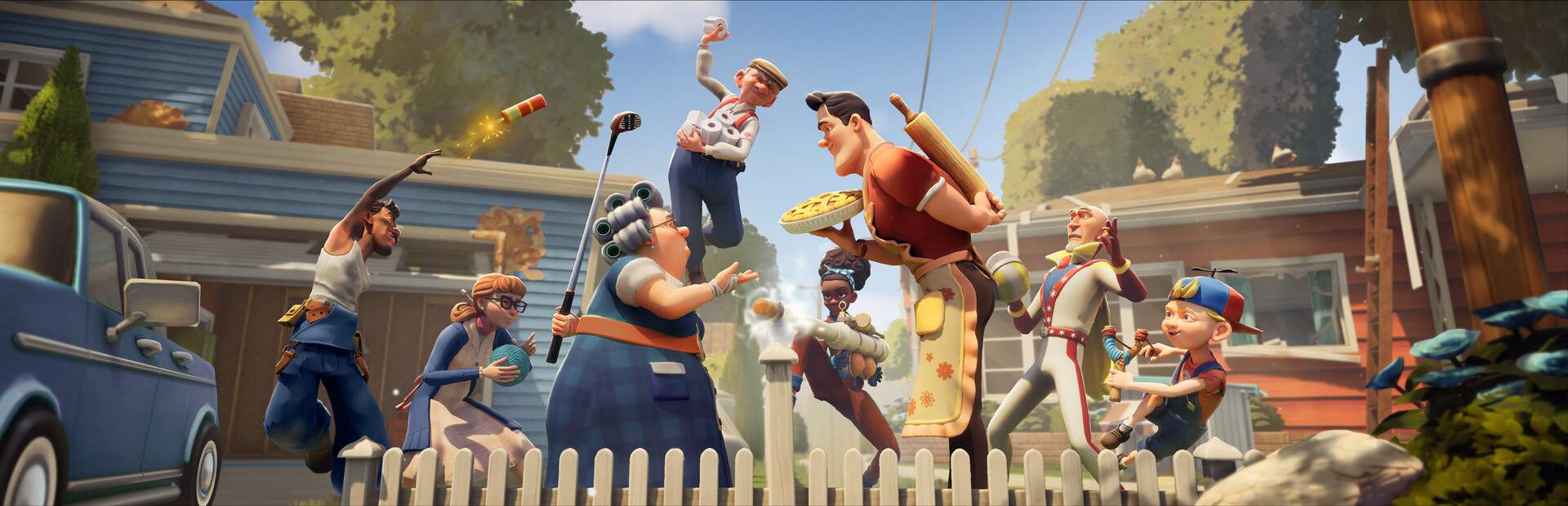
- Neighbors Suburban Warfare mobile brings the suburban prank war to phones and tablets.
- Two roles per match: sneak into a neighbor's home as the prankster, or defend your own as the watcher.
- Setup is simple: install, run the tutorial, and complete the first prank contract to unlock core tools.
- Best early tactic: learn camera sightlines and guard patrol routes before stealing objectives.
- Progression tip: daily challenges fund gadget upgrades faster than casual matches.
Neighbors Suburban Warfare Mobile Overview
What Is Neighbors Suburban Warfare Mobile?
Neighbors Suburban Warfare mobile is the handheld version of the asymmetric multiplayer game where two feuding neighbors sabotage each other's homes. One player sneaks through the opposing house setting traps and stealing prized objects, while the other sets up security and hunts the intruder. The mobile edition preserves the core cat-and-mouse loop in shorter sessions suited to playing on the go.
Video Highlights:
- Official reveal teaser showing the suburban setting and prank-war premise
- Introduces the rivalry tone between the two neighboring households
- Showcases the visual style and mischief-themed presentation
The game is built around asymmetry: each side plays completely differently, and victory depends on how well you exploit your role's strengths.
| Role | Objective | Playstyle | Difficulty |
|---|---|---|---|
| Attacking neighbor | Sneak in, set traps, steal target items | Stealth, timing, gadgets | ★★★☆☆ |
| Defending neighbor | Protect valuables, spot and trap intruder | Observation, setup, prediction | ★★★☆☆ |
Alternate between both roles every few matches. Defending teaches you exactly where attackers hide, which makes your own sneaking runs much stronger.
Mobile Setup & Controls
Getting started on a phone or tablet is straightforward. Follow this sequence for the smoothest first session.
Check Your Device
Confirm your phone or tablet meets the recommended spec sheet for stable frame rates during trap-heavy matches.
Install and Update
Download the game from your platform's official store and apply the day-one patch, which typically includes early balance fixes.
Complete the Tutorial
Run the intro missions to learn sneaking, camera checks, and trap placement basics before jumping into live matches.
Adjust Touch Controls
Tune button size, camera sensitivity, and an auto-interact toggle in settings until movement feels natural one-handed.
Finish Your First Contract
Complete an early prank contract to unlock the core gadget loadout and progression currencies.
| Setting | Recommended Value | Why It Matters |
|---|---|---|
| Camera sensitivity | Medium | Balances look speed and precision on touchscreens |
| Auto-interact | On | Reduces tap fumbles during sneaking |
| Graphics preset | Balanced | Keeps frame rate stable on mid-range phones |
| Audio cues | Headphones | Footsteps and trap sounds are key intel |
Long sessions at max graphics can throttle older phones. Drop to the Balanced preset if the frame rate dips mid-match.
Core Tactics for Both Roles
Winning in Neighbors Suburban Warfare mobile means mastering the mind game. Each side has distinct tools and counters.
Stealth Runner
- Fast entry and exit
- Relies on distraction gadgets
- Weak vs dense trap coverage
Trap Specialist
- Area denial through traps
- Slower but safer routes
- Strong vs aggressive defenders
Patrol Defender
- Active hunting with cameras
- Predicts common entry paths
- Weak vs patient attackers
| Situation | Attacker Response | Defender Response |
|---|---|---|
| Objective in open room | Bait with noise, then grab fast | Layer traps around the item |
| Long corridor approach | Time camera sweeps before moving | Place a camera covering blind corners |
| Chased after stealing | Break line of sight, use doors | Cut off shortcuts, predict exits |
| Time running low | Prioritize cheap secondary objectives | Stall, don't overextend the hunt |
Every failed run is reconnaissance. Note where you were spotted and which trap caught you, then attack that weakness next round.
Progression & Daily Goals
Currencies and unlock pacing reward consistent play more than marathon sessions.
| Activity | Reward Type | Effort | Priority |
|---|---|---|---|
| Daily challenges | Soft currency | Low | High |
| Prank contracts | Gadgets and skins | Medium | High |
| Ranked matches | Season rating | High | Medium |
| Tutorial replays | Small currency | Low | Low |
Daily Session Checklist:
- Clear all daily challenges
- Complete at least one prank contract
- Play one match in each role
- Spend currency on one gadget upgrade
- Review one loss for a fixable mistake
Invest in mobility and detection gadgets first. They help every match, while cosmetic unlocks can wait.
FAQ
Q: Is Neighbors Suburban Warfare mobile a separate game from the PC version?
The mobile edition is built around the same suburban prank-war concept and asymmetric roles, adapted with touch controls and shorter sessions. Check the official store page for your platform to confirm cross-play availability.
Q: Can I play both neighbor roles on mobile?
Yes. Matches rotate or let you queue for either the attacking neighbor or the defending neighbor, and practicing both is the fastest way to improve.
Q: Do I need a controller to be competitive?
No. The touch controls are designed for the game, and adjusting sensitivity plus enabling auto-interact covers most precision needs. A controller can be a comfort option if supported.
Q: What should beginners upgrade first in Neighbors Suburban Warfare mobile?
Prioritize mobility and detection gadgets. They directly improve your results in every match, while cosmetic items do not affect gameplay.