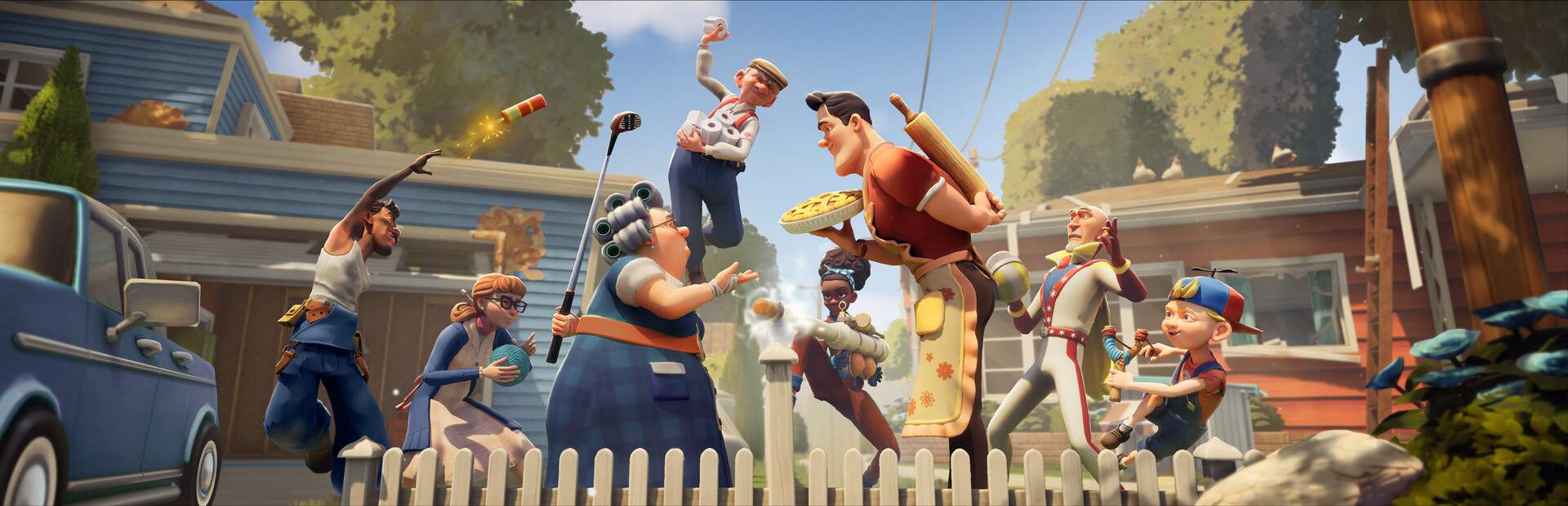
- Neighbors Suburban Warfare on Android is the mobile version of tinyBuild's chaotic neighbor-vs-neighbor multiplayer game.
- Official channels only: Always install through Google Play or the official tinyBuild store page.
- Cross-play support lets mobile players join matches with friends on other platforms.
- First-session priority: Complete the tutorial and unlock your first neighbor character before ranked play.
- Device check: Verify RAM and OS version before downloading to avoid installation issues.
Getting Neighbors Suburban Warfare on Android
Neighbors Suburban Warfare brings the rivalry between the Peterson brothers and their neighbors into a team-based multiplayer arena, and the Android version puts the full suburban chaos in your pocket. Before jumping into matches, you need to confirm availability in your region and prepare your device properly.
Video Highlights:
- Official reveal teaser introducing the game's comedic neighbor-vs-neighbor premise
- First look at the suburban neighborhood setting and character tone
- Sets expectations for the team-based multiplayer format
The safest way to install the game is through Google Play. Searching the store directly avoids the risks tied to third-party APK mirrors, which can bundle malware or deliver outdated builds.
| Install Method | Safety | Notes |
|---|---|---|
| Google Play | Recommended | Official builds, auto-updates, refund support |
| Official tinyBuild site | Safe | Links redirect to the store listing |
| Third-party APK sites | Not recommended | Risk of tampered files and stale versions |
| Friend's APK share | Not recommended | May miss critical patches and anti-cheat updates |
Side-loading Neighbors Suburban Warfare from unknown sources can compromise your account and device. Stick to Google Play for every download and update.
Device Requirements & Compatibility
Smooth matchmaking depends heavily on your hardware. Because matches are real-time and reaction-heavy, meeting the recommended specs matters more than in turn-based mobile games.
| Specification | Minimum | Recommended |
|---|---|---|
| Android version | 9.0+ | 12.0+ |
| RAM | 3 GB | 6 GB or more |
| Storage | 2 GB free | 4 GB free |
| Processor | Mid-range 2019 chipset | Snapdragon 7-series or better |
| Connection | Wi-Fi | Stable 5 GHz Wi-Fi or 5G |
Clear at least 4 GB of storage before installing. Post-launch patches often add content beyond the initial download size, and running out of space mid-update can corrupt game files.
Beyond raw specs, keep these Android settings in mind for the best experience:
- Disable battery optimization for the app so matches aren't interrupted
- Grant notification permissions for event and update alerts
- Enable performance mode if your device offers it
- Close background apps before ranked sessions to reduce latency
Step-by-Step Setup Guide
Follow this sequence to go from fresh install to your first match without wasted time.
Install and Verify
Download from Google Play, confirm the install size, and let the initial asset download finish on Wi-Fi before launching.
Create Your Account
Link a tinyBuild account or sign in with Google. Linking protects your progress if you switch devices later.
Complete the Tutorial
The tutorial teaches the core loop: sneaking, trapping, and opposing the rival neighbor team. Skipping it leaves you at a real disadvantage.
Adjust Controls
Test both control presets in practice mode. Larger hands usually prefer the split-layout scheme, while smaller phones benefit from compact HUDs.
Queue Your First Match
Start with casual modes to learn map layouts before touching ranked play.
Players who link an account in the first session recover their progress instantly after reinstalling or upgrading phones. Do it before your first match, not after.
Comparing the Android Experience
Android players get the same core game as other platforms, but each version has tradeoffs worth knowing before you commit your main account to one device.
Android Mobile
- Play anywhere on Wi-Fi or data
- Touch controls need adjustment
- Smaller screen for spotting enemies
PC
- Precise mouse-keyboard controls
- Best frame rates and visibility
- No portability
Console
- Comfortable controller input
- Couch-friendly sessions
- Longer update approval times
| Factor | Android | PC | Console |
|---|---|---|---|
| Portability | ★★★★★ | ★☆☆☆☆ | ★☆☆☆☆ |
| Control precision | ★★★☆☆ | ★★★★★ | ★★★★☆☆ |
| Match fairness | Balanced via cross-play pools | Balanced | Balanced |
| Update speed | Fast | Fastest | Slower certification |
Cross-play pools mobile and PC players together, but the matchmaking system groups by input method where possible, keeping touch players on fair footing.
First-Week Goals
New Android players who finish these milestones in week one start ranked play with a much stronger foundation.
First-Week Milestones:
- Link a permanent account for progress backup
- Complete the full tutorial and practice mode
- Learn two neighborhood map layouts
- Unlock a second playable neighbor character
- Win five casual matches before ranked queue
Mastering two maps deeply beats a shallow knowledge of all of them. Knowing shortcut routes and trap spots is what wins close matches on mobile.
FAQ
Q: Is Neighbors Suburban Warfare free on Android?
Check the official Google Play listing for the current pricing model, as tinyBuild has used both premium and free-to-download structures across releases. The store page always reflects the live price and any in-app purchases.
Q: Does the Android version support cross-play with PC?
Yes. Neighbors Suburban Warfare supports cross-platform play, so Android users can team up with friends on other platforms, with matchmaking accounting for input differences.
Q: Can I play Neighbors Suburban Warfare on Android offline?
No. The game is built around online team-based multiplayer, so a stable internet connection is required for matches, progression, and account syncing.
Q: Will my Android progress carry over to a new phone?
Progress carries over as long as you sign in with the same linked account. This is why linking a tinyBuild or Google account during first setup is strongly recommended.